

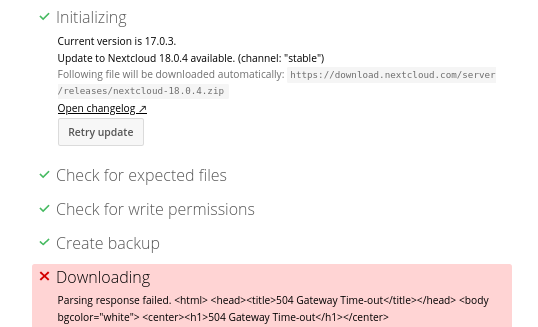
Quand on a l’erreur “504 Gateway Time-out’ … le mieux est de faire avec les lignes de commandes :
$ sudo -u www-data php /usr/share/nginx/nextcloud/updater/updater.phar
Nextcloud Updater - version: v16.0.3-3-ga0c2b25 dirty

Current version is 18.0.4.

Update to Nextcloud 18.0.4 available. (channel: "stable")
Following file will be downloaded automatically: https://download.nextcloud.com/server/releases/nextcloud-18.0.4.zip
Open changelog ↗

Steps that will be executed:
[✔] Check for expected files
[✔] Check for write permissions
[✔] Create backup
[✔] Downloading
[✔] Verify integrity
[✔] Extracting
[✔] Enable maintenance mode
[✔] Replace entry points
[✔] Delete old files
[✔] Move new files in place
[✔] Done

Continue update? [y/N] y

Info: Pressing Ctrl-C will finish the currently running step and then stops the updater.

[✔] Check for expected files
[✔] Check for write permissions
[✔] Create backup
[✔] Downloading
[✔] Verify integrity
[✔] Extracting
[✔] Enable maintenance mode
[✔] Replace entry points
[✔] Delete old files
[✔] Move new files in place
[✔] Done

Update of code successful.

Should the "occ upgrade" command be executed? [Y/n] Y
Nextcloud or one of the apps require upgrade - only a limited number of commands are available
You may use your browser or the occ upgrade command to do the upgrade
2020-06-01T19:21:53+02:00 Set log level to debug
....
$ sudo -u www-data php /usr/share/nginx/nextcloud/occ maintenance:mode --off
Maintenance mode disabled