
Téléchargement de ApplePi-Baker : ApplePi-Baker
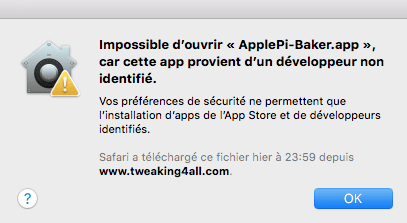
A l’installation, petit message de sécurité :
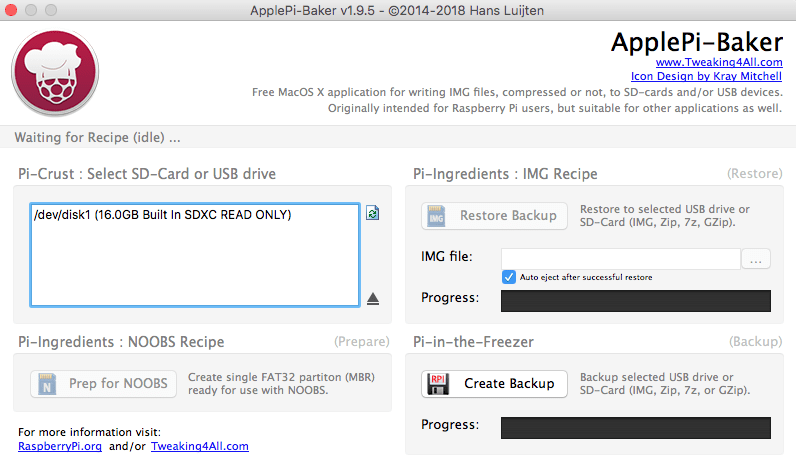
 Ensuite il ne faut pas utiliser le port SD du Mac, sinon on est en lecture seule :
 Avec un dongle via USB, cela fonctionne correctement :
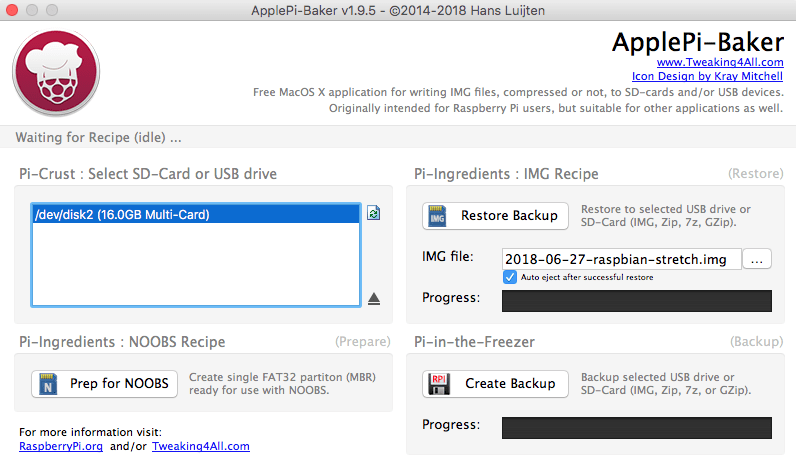 J’utilise l’image : 2018-06-27-raspbian-stretch.img pour mon Raspberry Pi BCM2708 . Le “apt-get upgrade” avait tuer l’OS …
Ensuite petite configuration :
pi@raspberrypi:~ $ sudo update-rc.d ssh defaults
pi@raspberrypi:~ $ df -h
Sys. de fichiers Taille Utilisé Dispo Uti% Monté sur
/dev/root           15G    4,0G   10G  29% /
devtmpfs           213M       0  213M   0% /dev
tmpfs              217M       0  217M   0% /dev/shm
tmpfs              217M    5,9M  211M   3% /run
tmpfs              5,0M    4,0K  5,0M   1% /run/lock
tmpfs              217M       0  217M   0% /sys/fs/cgroup
/dev/mmcblk0p1      43M     22M   21M  51% /boot
tmpfs               44M       0   44M   0% /run/user/1000
pi@raspberrypi:~ $ runlevel
N 5
pi@raspberrypi:~ $ systemctl get-default
graphical.target
pi@raspberrypi:~ $ sudo systemctl enable ssh.service
pi@raspberrypi:~ $ sudo systemctl set-default multi-user.target
Created symlink /etc/systemd/system/default.target → /lib/systemd/system/multi-user.target.
pi@raspberrypi:~ $ hostnamectl
   Static hostname: raspberrypi
         Icon name: computer
        Machine ID: 0b646f6436cf4076bc65ccf9a7517e6c
           Boot ID: 176ccf1f96fc4d9891a5d453263d6e33
  Operating System: Raspbian GNU/Linux 9 (stretch)
            Kernel: Linux 4.14.50+
      Architecture: arm




