
Etape n°1 : Installation de l’OS ( 2018-06-27-raspbian-stretch-lite.img ) sur la carte SD ( Avec ApplePi si vous êtes sous MacOS ) .
-> Voir : https://www.cyber-neurones.org/2018/09/raspberry-mac-os-applepi-baker-creer-une-carte-sd-pour-le-raspberry/ .
$ hostnamectl
   Static hostname: raspberrypi
         Icon name: computer
        Machine ID: e3de61955d6646558bc520db1abbc48c
           Boot ID: 38574747c8294acab1c292cb2c8023c4
  Operating System: Raspbian GNU/Linux 9 (stretch)
            Kernel: Linux 4.14.50-v7+
      Architecture: arm
Etape n°2 : Changement de l’IP.
Modification de /etc/dhcpcd.conf , mais aussi de /etc/hostname (pour le nom RASP7, et oui le 8ème Raspberry : 192.168.0.76 ) . Le login : pi et le mot de passe raspberry (enfin rqspberry )
La première étape est de voir si le Bluetooth est bien lancé au démarrage :
$ dmesg | grep -i blue
[   11.903994] Bluetooth: Core ver 2.22
[   11.904056] Bluetooth: HCI device and connection manager initialized
[   11.904073] Bluetooth: HCI socket layer initialized
[   11.904080] Bluetooth: L2CAP socket layer initialized
[   11.904098] Bluetooth: SCO socket layer initialized
[   11.913494] Bluetooth: HCI UART driver ver 2.3
[   11.913506] Bluetooth: HCI UART protocol H4 registered
[   11.913509] Bluetooth: HCI UART protocol Three-wire (H5) registered
[   11.913652] Bluetooth: HCI UART protocol Broadcom registered
[   12.098214] Bluetooth: BNEP (Ethernet Emulation) ver 1.3
[   12.098223] Bluetooth: BNEP filters: protocol multicast
[   12.098245] Bluetooth: BNEP socket layer initialized

$ sudo systemctl status bluetooth*
● bluetooth.target - Bluetooth
   Loaded: loaded (/lib/systemd/system/bluetooth.target; static; vendor preset: enabled)
   Active: active since Tue 2018-10-09 16:17:10 UTC; 2 days ago
     Docs: man:systemd.special(7)

Warning: Journal has been rotated since unit was started. Log output is incomplete or unavailable.

● bluetooth.service - Bluetooth service
   Loaded: loaded (/lib/systemd/system/bluetooth.service; enabled; vendor preset: enabled)
   Active: active (running) since Tue 2018-10-09 16:17:10 UTC; 2 days ago
     Docs: man:bluetoothd(8)
 Main PID: 812 (bluetoothd)
   Status: "Running"
   CGroup: /system.slice/bluetooth.service
           └─812 /usr/lib/bluetooth/bluetoothd

Warning: Journal has been rotated since unit was started. Log output is incomplete or unavailable.
A noter pour que cela fonctionne bien j’ai du ajouter le service hciuart :
Petit rappel sur l’architecture mis en place sur le Munin :
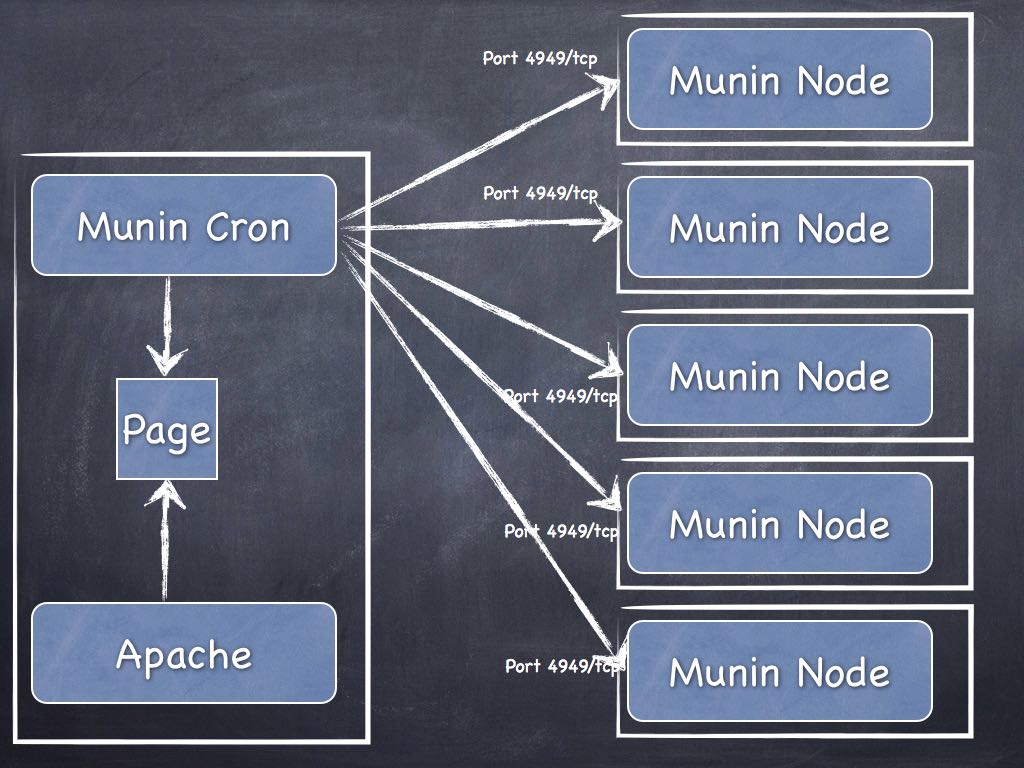
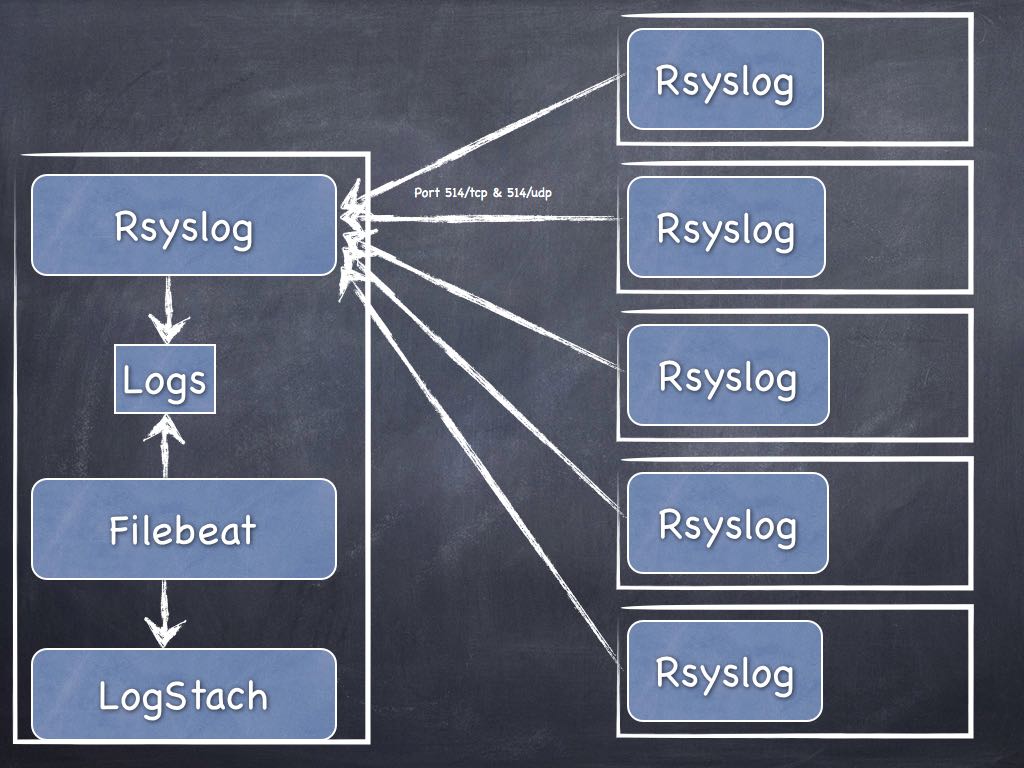
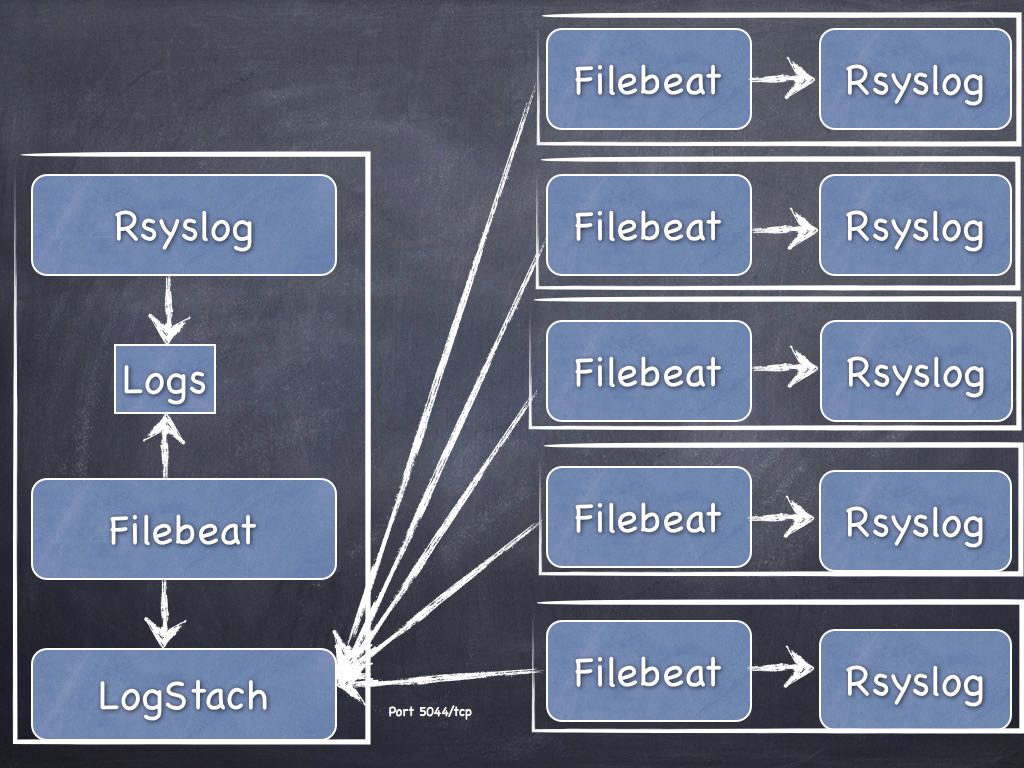
Maintenant, quel est la meilleure architecture pour la mise en place du Logstach ? Mettre un Filebeat sur tous les serveurs ou bien envoyer les informations via Rsyslog afin d’avoir qu’un seul Filebeat ? Vous avez une heure …
La carte est Micro SD : Carte Mémoire microSDXC SanDisk Ultra 64GB
Le disque SSD : Kingston SSD A400 - 120GB Disque SSD (2.5" , SATA 3)
J’ai donc mes premières statistiques via Munin :
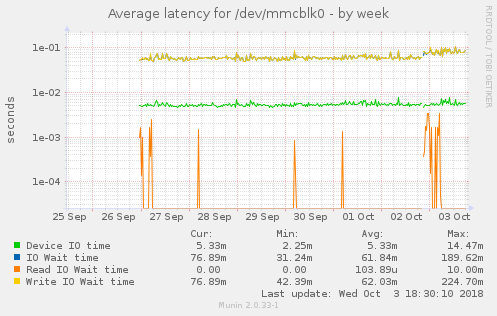
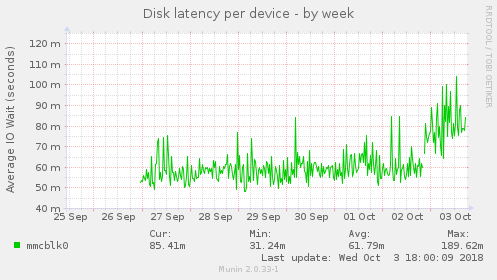
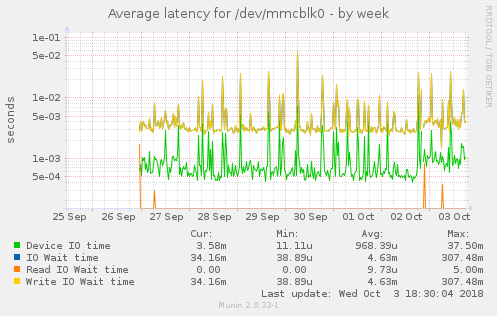
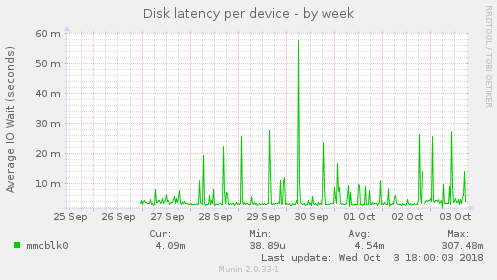 Min : 38,89u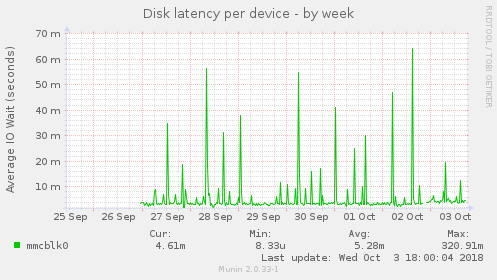
J’ai voulu reprendre une citation de Jacques Séguéla : “Si à 50 ans on n’a pas une Rolex, c’est qu’on a raté sa vie”. Personnellement mettre plus de 8000 Euros dans une montre qui indique seulement l’heure, je trouve cela un peu stupide … Si je devais investir dans une montre sans hésiter je prendrais une Garmin Fénix 5X (Sapphire, Gray titane et carbone amorphe avec bracelet en titane et carbone amorphe) à 1200 Euros ( GPS, GLONASS et Galileo + carte TOPO de l’Europe + cardio poignet Garmin Elevate + oxymètre de pouls + … ). Mettre 8000 Euros dans un montre qui indique seulement l’heure, misère. En plus on doit plus avoir de chance de se faire agresser avec une Rolex ;) . Revenons à nos moutons, ou plutôt à notre salle serveur ( plus exactement notre boite serveur ).
Installation d’un plugin en python : https://github.com/arthur-debert/munin-httpresponse-plugin/blob/master/httpresponsetime
$ sudo vi /usr/share/munin/plugins/httpresponsetime
 -> Copie du script.
$ sudo ln -s  /usr/share/munin/plugins/httpresponsetime /etc/munin/plugins/httpresponsetime
$ sudo chmod +x  /usr/share/munin/plugins/httpresponsetime /etc/munin/plugins/httpresponsetime
$ sudo apt-get install python-setuptools python-dev build-essential
$ sudo easy_install pip
$ sudo pip install httplib2
Ajout dans le fichier :
$ sudo vi /etc/munin/plugin-conf.d/munin-node
...
[httpresponsetime]
    env.urls https://www.cyber-neurones.org
...
Et on relance :
$ sudo munin-node-configure --shell
$ sudo service munin-node restart
Et voici le résultat :
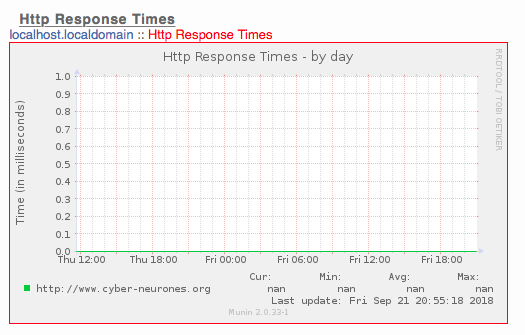
Après 24h ou Munin a fonctionné parfaitement, maintenant j’ai une erreur ?! Je pense qu’une mise à jours à casser Perl :
osmc@osmc:~$ sudo su - munin --shell=/bin/bash
munin@osmc:~$ munin-cron --debug
Can't load '/usr/lib/arm-linux-gnueabihf/perl5/5.20/auto/RRDs/RRDs.so' for module RRDs: libpng12.so.0: cannot open shared object file: No such file or directory at /usr/lib/arm-linux-gnueabihf/perl/5.20/DynaLoader.pm line 187.
 at /usr/share/perl5/Munin/Master/UpdateWorker.pm line 19.
Compilation failed in require at /usr/share/perl5/Munin/Master/UpdateWorker.pm line 19.
BEGIN failed--compilation aborted at /usr/share/perl5/Munin/Master/UpdateWorker.pm line 19.
Compilation failed in require at /usr/share/perl5/Munin/Master/Update.pm line 17.
BEGIN failed--compilation aborted at /usr/share/perl5/Munin/Master/Update.pm line 17.
Compilation failed in require at /usr/share/munin/munin-update line 14.
BEGIN failed--compilation aborted at /usr/share/munin/munin-update line 14.
A noter aussi que le ldconfig est un peu mal :
Suite à l’installation : https://www.cyber-neurones.org/2018/09/osmc-raspberry-installation-de-muni-node-et-apache2-avec-un-script-pour-freebox/ : OSMC/Raspberry : installation de munin ( et Apache2) avec un script pour Freebox :
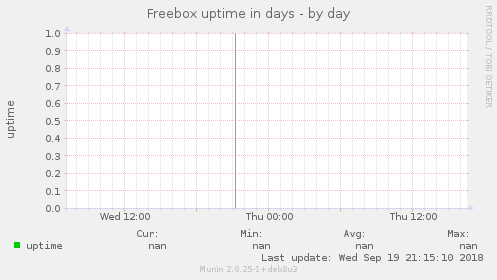
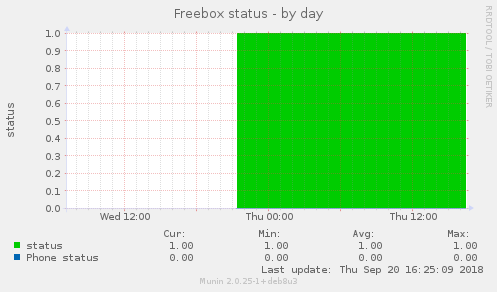
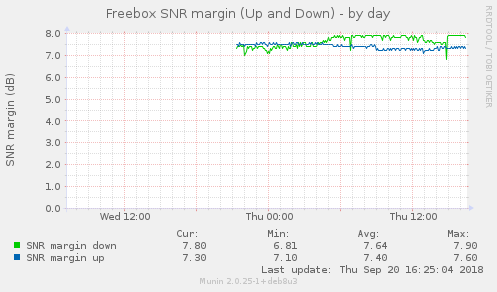
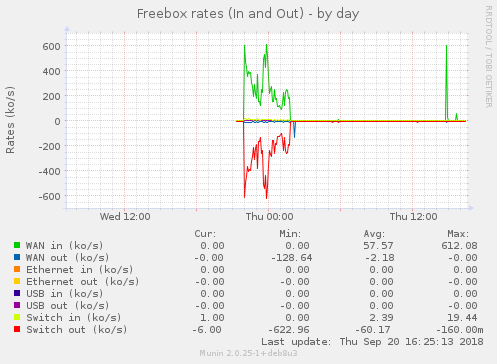
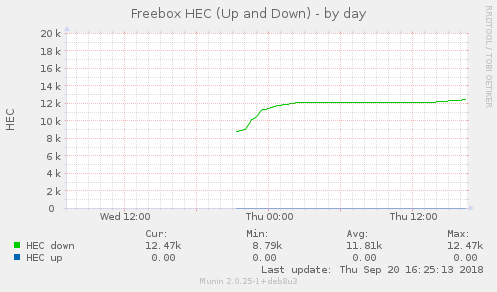
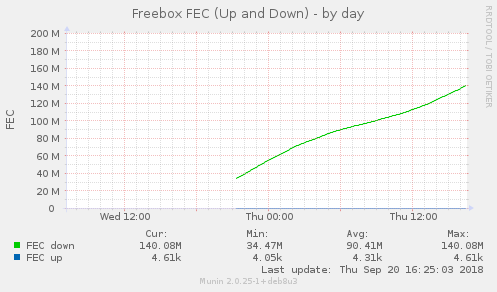
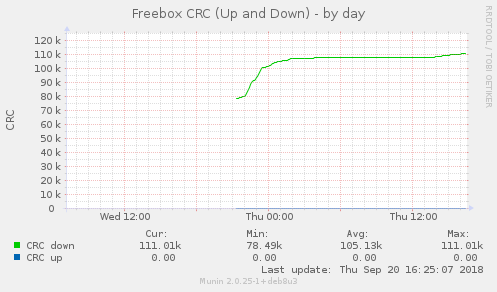
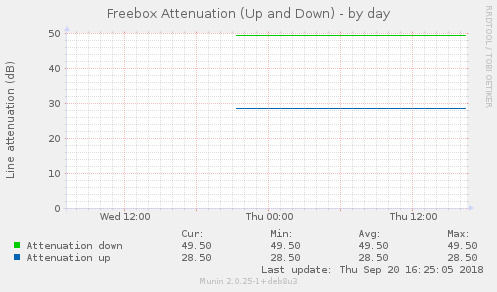
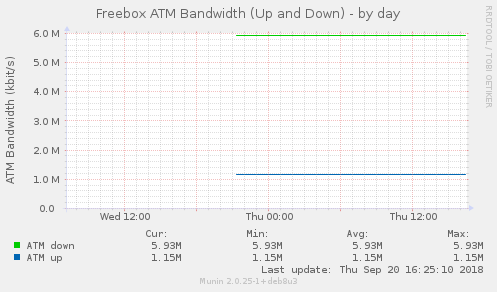
Maintenant je vais pouvoir prouver à Free la mauvaise qualité ….
Les idées à mettre en place :
On va dire qu’avec 8-10 Raspberry cela serait parfait. Pour l’instant j’ai essayé ELK sur un Raspberry pas assez puissant (manque de RAM, merci Java), par contre Jeedom, NGNIX, Munin, OSMC ont parfaitement fonctionnés.
Téléchargement de ApplePi-Baker : ApplePi-Baker
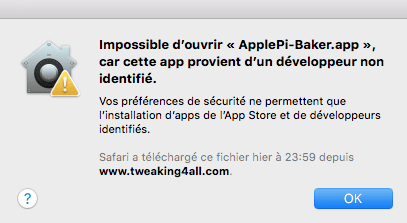
A l’installation, petit message de sécurité :
 Ensuite il ne faut pas utiliser le port SD du Mac, sinon on est en lecture seule :
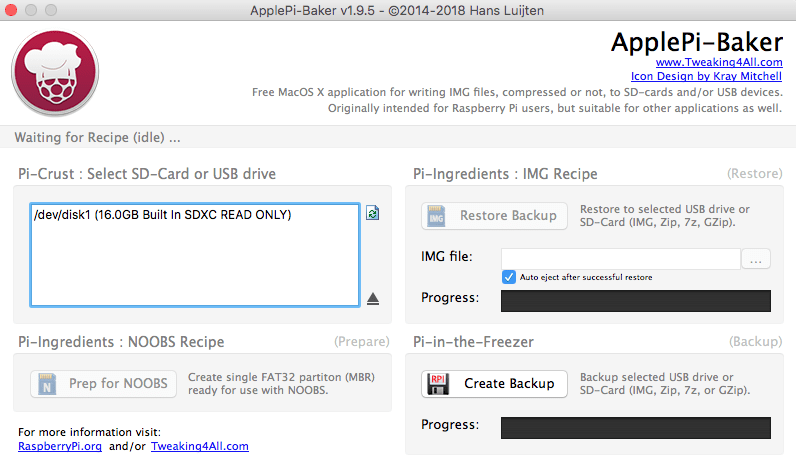 Avec un dongle via USB, cela fonctionne correctement :
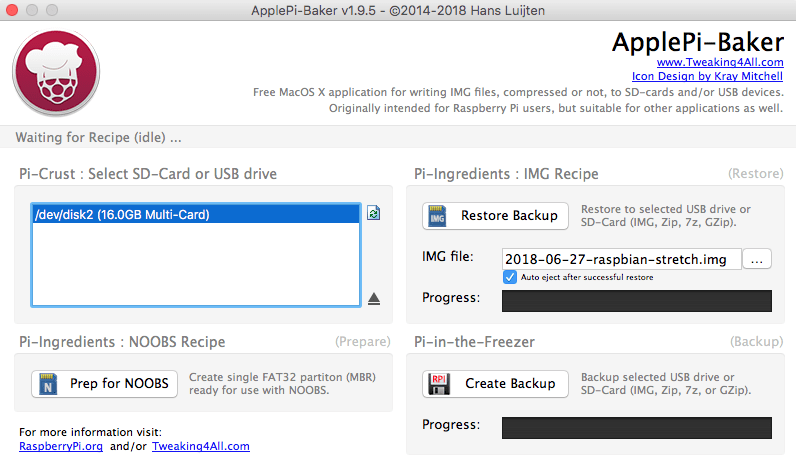 J’utilise l’image : 2018-06-27-raspbian-stretch.img pour mon Raspberry Pi BCM2708 . Le “apt-get upgrade” avait tuer l’OS …
Ensuite petite configuration :
pi@raspberrypi:~ $ sudo update-rc.d ssh defaults
pi@raspberrypi:~ $ df -h
Sys. de fichiers Taille Utilisé Dispo Uti% Monté sur
/dev/root           15G    4,0G   10G  29% /
devtmpfs           213M       0  213M   0% /dev
tmpfs              217M       0  217M   0% /dev/shm
tmpfs              217M    5,9M  211M   3% /run
tmpfs              5,0M    4,0K  5,0M   1% /run/lock
tmpfs              217M       0  217M   0% /sys/fs/cgroup
/dev/mmcblk0p1      43M     22M   21M  51% /boot
tmpfs               44M       0   44M   0% /run/user/1000
pi@raspberrypi:~ $ runlevel
N 5
pi@raspberrypi:~ $ systemctl get-default
graphical.target
pi@raspberrypi:~ $ sudo systemctl enable ssh.service
pi@raspberrypi:~ $ sudo systemctl set-default multi-user.target
Created symlink /etc/systemd/system/default.target → /lib/systemd/system/multi-user.target.
pi@raspberrypi:~ $ hostnamectl
   Static hostname: raspberrypi
         Icon name: computer
        Machine ID: 0b646f6436cf4076bc65ccf9a7517e6c
           Boot ID: 176ccf1f96fc4d9891a5d453263d6e33
  Operating System: Raspbian GNU/Linux 9 (stretch)
            Kernel: Linux 4.14.50+
      Architecture: arm




