
Suite à la mise à jours … impossible de faire du SVN.
$ svn cleanup
xcrun: error: invalid active developer path (/Library/Developer/CommandLineTools), missing xcrun at: /Library/Developer/CommandLineTools/usr/bin/xcrun
La solution :
$ xcode-select --install
xcode-select: note: install requested for command line developer tools
Cela ouvre une fenêtre :
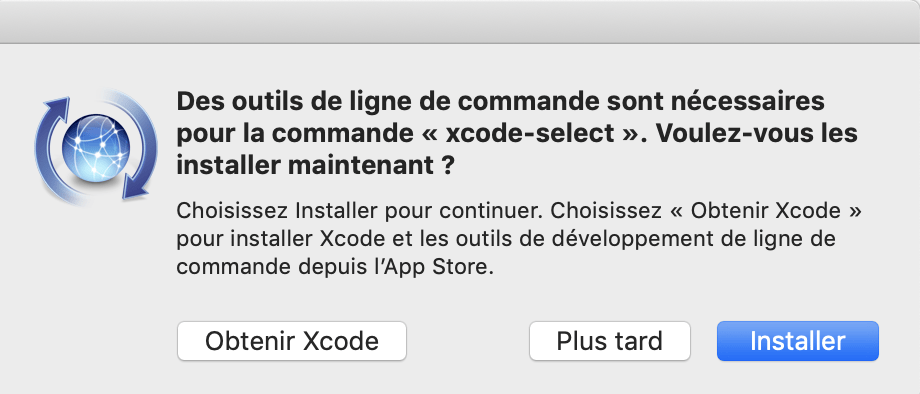
Misère.
La version :
$ svn --version
svn, version 1.10.3 (r1842928)
   compiled Apr  5 2019, 18:59:58 on x86_64-apple-darwin17.0.0

Copyright (C) 2018 The Apache Software Foundation.
This software consists of contributions made by many people;
see the NOTICE file for more information.
Subversion is open source software, see http://subversion.apache.org/

The following repository access (RA) modules are available:

* ra_svn : Module for accessing a repository using the svn network protocol.
  - with Cyrus SASL authentication
  - handles 'svn' scheme
* ra_local : Module for accessing a repository on local disk.
  - handles 'file' scheme
* ra_serf : Module for accessing a repository via WebDAV protocol using serf.
  - using serf 1.3.9 (compiled with 1.3.9)
  - handles 'http' scheme
- handles 'https' schemeJ’ai repris le même titre que mon précédent post : https://www.cyber-neurones.org/2018/01/bitdefender-virus-scanner-pas-si-inutile/ . Mais j’arrive aux mêmes conclusions …
J’ai l’impression que Chrome est une vrai passoire à Trojan. Misère.
Première étape, voir les partitions :
$ diskutil list
/dev/disk0 (internal, physical):
   #:                       TYPE NAME                    SIZE       IDENTIFIER
   0:      GUID_partition_scheme                        *1.1 TB     disk0
   1:                        EFI EFI                     209.7 MB   disk0s1
   2:                 Apple_APFS Container disk1         1.1 TB     disk0s2

/dev/disk1 (synthesized):
   #:                       TYPE NAME                    SIZE       IDENTIFIER
   0:      APFS Container Scheme - +1.1 TB     disk1
                                 Physical Store disk0s2
   1:                APFS Volume Macintosh HD            571.3 GB   disk1s1
   2:                APFS Volume Preboot                 22.0 MB    disk1s2
   3:                APFS Volume Recovery                507.4 MB   disk1s3
   4:                APFS Volume VM                      1.1 GB     disk1s4

/dev/disk2 (external, physical):
   #:                       TYPE NAME                    SIZE       IDENTIFIER
   0:      GUID_partition_scheme                        *63.9 GB    disk2
   1:           Linux Filesystem                         4.1 MB     disk2s1
   2:           Linux Filesystem                         65.5 KB    disk2s2
   3:           Linux Filesystem                         4.2 MB     disk2s3
   4:           Linux Filesystem                         4.2 MB     disk2s4
   5:           Linux Filesystem                         4.2 MB     disk2s5
   6:       Microsoft Basic Data boot                    117.4 MB   disk2s6
   7:           Linux Filesystem                         63.7 GB    disk2s7
En lecture seule :
( Test fait avec la Version 2.60.0.0 )
Contrairement à la Forerunner 935, la Forerunner 945 n’est pas vu comme un volume … mais comme un périphérique sous Android. On a donc droit à chaque fois à un liste de pop’up.
Misère de conception !
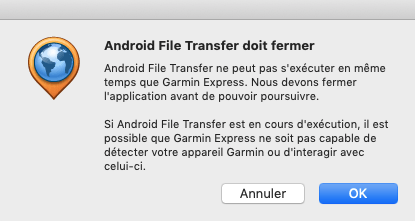
1- Impossible de se connecter à l’appareil. 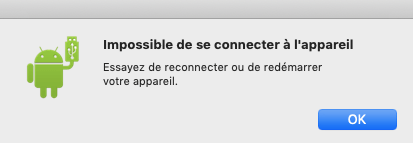 2-Android File Transfer doit être fermer ( disons que fermé c’est mieux, et en plus il est fermé ! )
  3- Synchronisation impossible.
 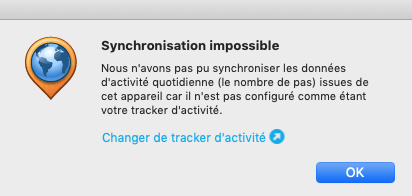 Finalement on clique sur “OK” et on cliqur sur “Synchronisation”.
La montre est vu de la façon suivante sur le Mac :
$ system_profiler SPUSBDataType
...
    USB 3.0 Bus:

      Host Controller Driver: AppleUSBXHCIPPT
      PCI Device ID: 0x1e31
      PCI Revision ID: 0x0004
      PCI Vendor ID: 0x8086

        Composite Device:

          Product ID: 0x4c29
          Vendor ID: 0x091e  (Garmin International)
          Version: 0.01
          Serial Number: 0000XXXXXXX
          Speed: Up to 480 Mb/sec
          Location ID: 0x14100000 / 8
          Current Available (mA): 500
          Current Required (mA): 500
          Extra Operating Current (mA): 0
Alors que la précedente montre était vu comme un Volume. Quand je fais une synchronisation en local avec rubiTrack 5 Pro 5.2.5 , rien de fonctionne.
En prenant Cyberduck sur cyberduck.fr , vous allez avoir le Malware :Advanced Mac Cleaner .
Le Malware résiste jusqu’à la désinstallation :

Il faudrait que Google déréférence ce type de site …
Misère.
https://twitter.com/CYBERNEURONES/status/1144668273809776640
https://twitter.com/CYBERNEURONES/status/1144666279573434373
J’ai pu voir que le site cyberduck.fr qui installe cyberduck avec en plus le Malware : Advanced Mac Cleaner appartenait à la société DATA ACCESS : Voir https://cyberduck.fr/mentions-legales/ :
DATA ACCESS S.A.R.L 57 rue d’Amsterdam 75008 PARIS, France
En cherchant un peu sur internet, on comprends qu’ils sont un peu spécialisé dans l’achat de nom connu … pour ensuite mettre leur version. Lire : https://news.ycombinator.com/item?id=19868617
I have been working on a fork of TrueCrypt/VeraCrypt and wanted to be sure that before releasing the code that I am following all the license terms and giving proper attribution, as TrueCrypt has a somewhat non-standard open source license.
Combien de fois il faut le dire ! Ceci est un virus !
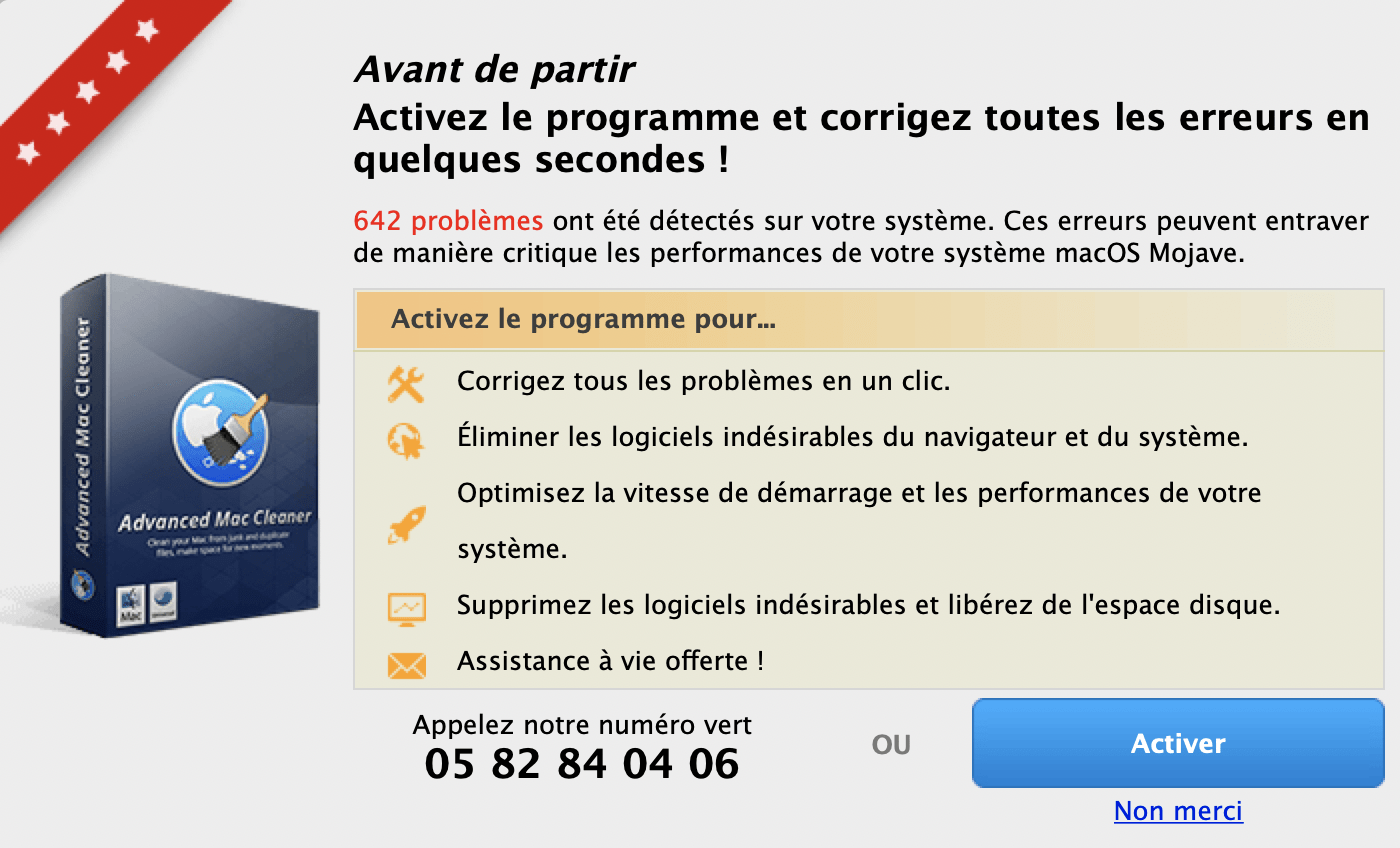
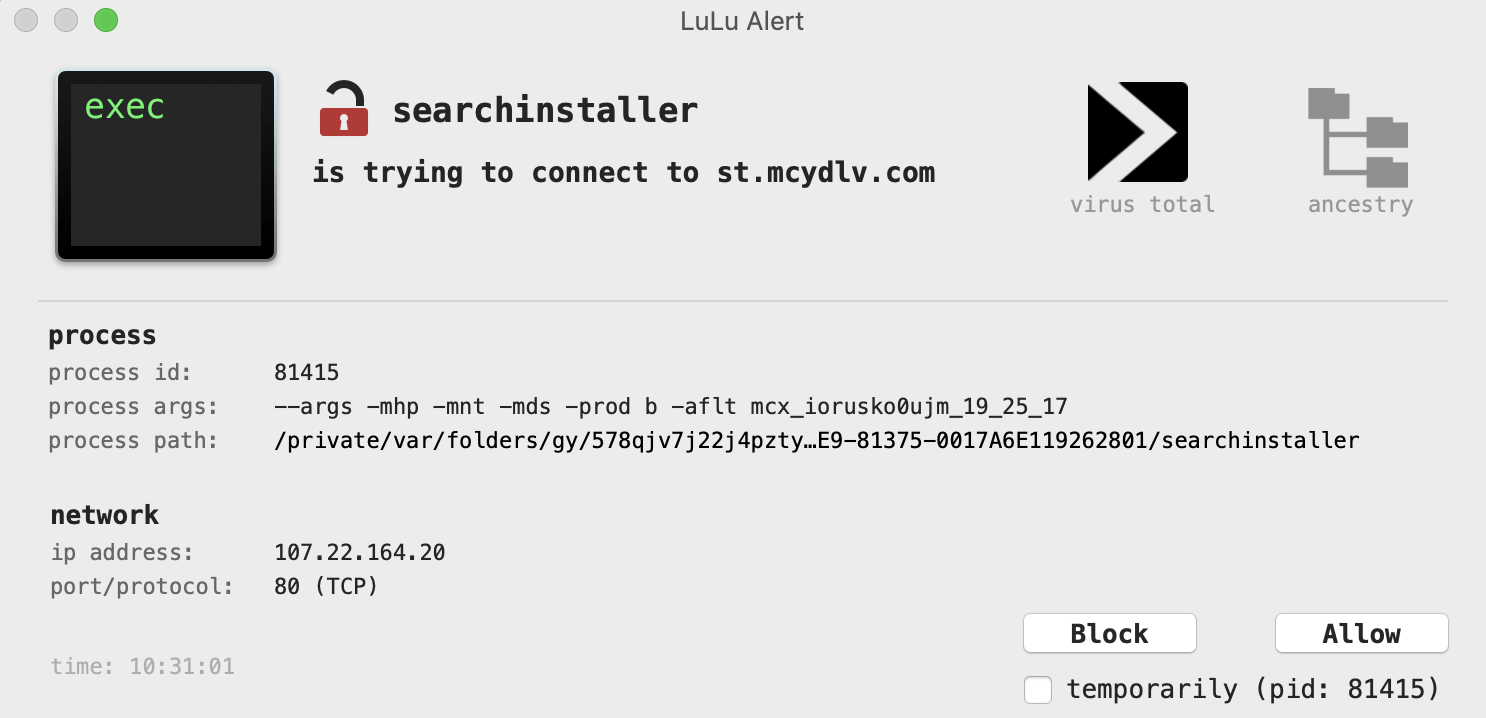
Et si vous avez vous pouvez tracer les actions de ce virus !
Une fois il va se connecter sur st.mcydlv.com ( Malware ) :
 Et ensuite sur lqozem.com ( Malware ) :
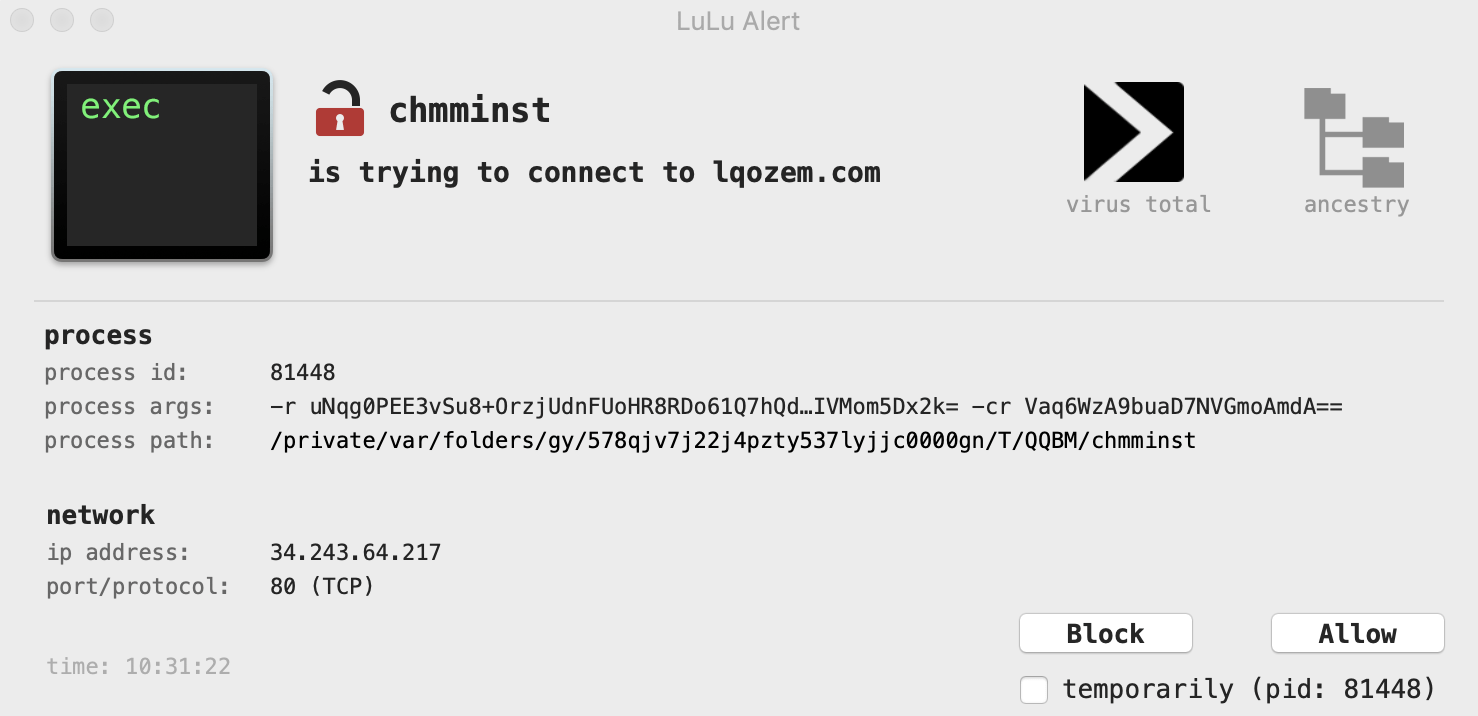 Ses deux sites sont souvent utilisés pour des faux logiciels Acrobat Reader : AcroRd32.exe (sous Windows) .
Pour plus d’information lire : https://lesvirus.fr/le-virus-advanced-mac-cleaner/ : Le virus Advanced Mac Cleaner. Comment supprimer? (Guide de désinstallation)
C’est assez simple … il est très important de le supprimer.
Etape n°1 :
Supprimer l’application qui est dans /Users/XXXXXX/Applications/Chromium.app avec XXXXXX qui est le nom de votre utilisataur.
Etape n°2 :
Supprimer le fichier plist org.chromium.Chromium.plist dans Library/Preferences/.
<?xml version="1.0" encoding="UTF-8"?>
<!DOCTYPE plist PUBLIC "-//Apple//DTD PLIST 1.0//EN" "http://www.apple.com/DTDs/PropertyList-1.0.dtd">
<plist version="1.0">
<dict>
        <key>LastRunAppBundlePath</key>
        <string>/Users/XXXXXX/Applications/Chromium.app</string>
</dict>
</plist>
Etape 3 :
Supprimer le répertoire Library/Application\ Support/Chromium/ .
Etape 4 :
Aller dans Préférences Système, puis Utilisateur & Groupes, puis choisir Ouverture et supprimer Chromium.
Bizarre … com.adobe.fpsaud qui pointe vers fpdownload.macromedia.cm .
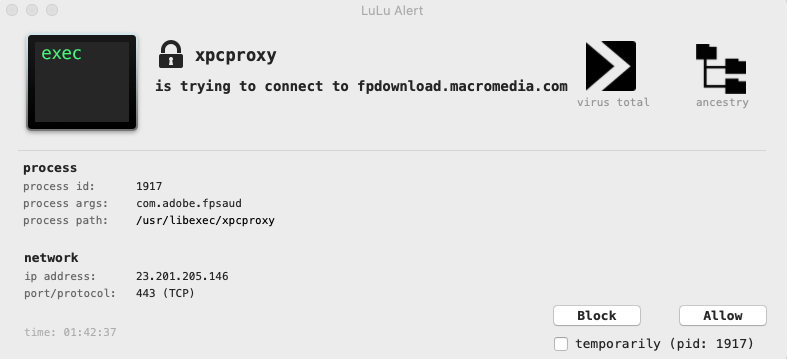 Si je regarde plus en détail dans /System/Library/LaunchDaemons/ je n’ai aucun com.adobe.fpsaud . Mais si je regarde dans /Library/LaunchDaemons/ :
<?xml version="1.0" encoding="UTF-8"?>
<!DOCTYPE plist PUBLIC "-//Apple//DTD PLIST 1.0//EN" "http://www.apple.com/DTDs/PropertyList-1.0.dtd">
<plist version="1.0">
<dict>
	<key>Label</key>
	<string>com.adobe.fpsaud</string>
	<key>ProgramArguments</key>
	<array>
		<string>/Library/Application Support/Adobe/Flash Player Install Manager/fpsaud</string>
	</array>
	<key>StartInterval</key>
	<integer>3600</integer>
	<key>KeepAlive</key>
	<false/>
</dict>
</plist>
On a les ip qui sont en dur dans le programme … misère.
$ hexdump -C /Library/Application\ Support/Adobe/Flash\ Player\ Install\ Manager/fpsaud | grep "download"
0017b030  64 6f 77 6e 6c 6f 61 64  2e 6d 61 63 72 6f 6d 65  |download.macrome|
0017b3e0  20 64 6f 77 6e 6c 6f 61  64 65 72 20 64 6f 65 73  | downloader does|
0017b480  73 20 64 6f 77 6e 6c 6f  61 64 65 64 20 64 61 74  |s downloaded dat|
0017bad0  2f 2f 66 70 64 6f 77 6e  6c 6f 61 64 32 2e 6d 61  |//fpdownload2.ma|
0017bf30  65 20 6f 6e 20 64 6f 77  6e 6c 6f 61 64 65 64 20  |e on downloaded |
00187ef0  00 64 6f 77 6e 6c 6f 61  64 44 69 64 46 61 69 6c  |.downloadDidFail|
00187f00  00 64 6f 77 6e 6c 6f 61  64 44 69 64 50 72 6f 67  |.downloadDidProg|
00187fa0  64 6f 77 6e 6c 6f 61 64  65 64 44 61 74 61 00 67  |downloadedData.g|
00188030  3a 00 6d 5f 64 6f 77 6e  6c 6f 61 64 50 61 74 68  |:.m_downloadPath|
00188040  00 6d 5f 64 6f 77 6e 6c  6f 61 64 46 69 6c 65 48  |.m_downloadFileH|
00188960  64 6f 77 6e 6c 6f 61 64  65 72 00 6d 5f 64 6d 67  |downloader.m_dmg|
002597d0  69 74 68 55 52 4c 3a 64  6f 77 6e 6c 6f 61 64 50  |ithURL:downloadP|
00259a10  6d 5f 64 6f 77 6e 6c 6f  61 64 50 61 74 68 00 5f  |m_downloadPath._|
00259a70  6d 5f 64 6f 77 6e 6c 6f  61 64 46 69 6c 65 48 61  |m_downloadFileHa|
0025af50  74 61 6c 6c 65 72 20 64  6f 77 6e 6c 6f 61 64 50  |taller downloadP|
0025afc0  65 72 2e 6d 5f 64 6f 77  6e 6c 6f 61 64 65 72 00  |er.m_downloader.|
0025d3f0  6e 6c 6f 61 64 20 64 6f  77 6e 6c 6f 61 64 65 64  |nload downloaded|
00264ee0  5f 64 6f 77 6e 6c 6f 61  64 44 61 74 61 52 65 63  |_downloadDataRec|
00264ff0  64 2e 6d 5f 64 6f 77 6e  6c 6f 61 64 53 74 61 74  |d.m_downloadStat|
002654e0  65 72 2e 6d 5f 64 6f 77  6e 6c 6f 61 64 65 72 00  |er.m_downloader.|




