
Après plus de 10 ans sous MacOS, je rebascule sous Linux avec Ubuntu. Les derniers LapTop sous MacOS sont hors de prix, et il est quasiment impossible de les faire évoluer. J’ai donc choisi TUXEDO Computers GmbH : TUXEDO InfinityBook Pro 14 v5 ( Le site : www.tuxedocomputers.com )
Le détail du LapTop :
TUXEDO InfinityBook Pro 14 v5 : 1.489,00 EUR
Donc essayer de voir le prix d’un MacOS avec 2 To de disque SSD, et 64 Go de RAM …
My current issue on Oracle Linux 7.3 (kernel 4.1.12-61.1.18): I have only one processor or issue “Unsupported PM cap regs version (7)”. Impossible to boot without issue “Unsupported PM cap regs version (7)” and 8 processors.
To see the number of processor : cat /proc/cpuinfo | grep “model name”
My processor is : Intel(R) Xeon(R) CPU E5-2623 v3 @ 3.00GHz
All my test done :
| Tests | Status | Processor | Note | Grub parameter |
|---|---|---|---|---|
| 1 | OK | 1 | quiet splash noapic nolapic acpi=off | |
| 2 | OK | 1 | quiet acpi=off | |
| 3 | KO | Freeze : Unsupported PM cap regs version (7) | quiet | |
| 4 | KO | No boot | quiet splash pci=noacpi | |
| 5 | KO | Freeze : Unsupported PM cap regs version (7) | quiet acpi=off nr_cpus=8 | |
| 6 | KO | Freeze : Unsupported PM cap regs version (7) | quiet acpi=ht | |
| 7 | KO | Freeze : Unsupported PM cap regs version (7) | quiet acpi=noirq | |
| 8 | KO | Freeze : Unsupported PM cap regs version (7) | quiet pnpacpi=off | |
| 9 | KO | Freeze : Unsupported PM cap regs version (7) | quiet pcie_aspm=off | |
| 10 | KO | Freeze : Unsupported PM cap regs version (7) | quiet pci=noacpi | |
| 11 | KO | Freeze : Unsupported PM cap regs version (7) | quiet acpi=ht nolapic splash | |
| 12 | KO | Freeze : Unsupported PM cap regs version (7) | quiet acpi=ht pci=nocrs | |
| 13 | KO | Freeze : Unsupported PM cap regs version (7) | quiet acpi=ht acpi_osi=Linux | |
| 14 | OK | 1 | quiet idle=poll acpi=off | |
| 15 | OK | 1 | quiet idle=poll acpi=off processor.nocst=1 | |
| 16 | OK | 1 | quiet acpi=off processor.nocst=1 | |
| 17 | KO | Freeze : Unsupported PM cap regs version (7) | quiet acpi=ht acpi.nopower_check=1 acpi_osi=Linux | |
| 18 | OK | 1 | quiet acpi=off processor.nocst=1 maxcpus=8 | |
| 19 | OK | 1 | quiet intel_iommu=on acpi=off noapi | |
| 20 | KO | Freeze : Unsupported PM cap regs version (7) | quiet noapic pci=assign-busses apicmaintimer idle=poll reboot=cold,hard | |
| 21 | KO | Freeze : Unsupported PM cap regs version (7) | quiet pci=nomsi | |
| 22 | KO | Freeze : Unsupported PM cap regs version (7) | quiet pci=noaer | |
| 23 | KO | Freeze : Unsupported PM cap regs version (7) | quiet splash noapic nolapic acpi=ht pci=nocrs | |
| 24 | KO | Freeze : Unsupported PM cap regs version (7) | quiet splash noapic nolapic acpi=noirq pci=nocrs | |
| 25 | KO | Freeze : Unsupported PM cap regs version (7) | quiet splash nomodeset acpi_osi=Linux |
When I see the source code of pci.c :
!!! CECI EST UN BROUILLON !!!
Sur Jenkins j’ai mis le bon plugins : Libvirt Slaves
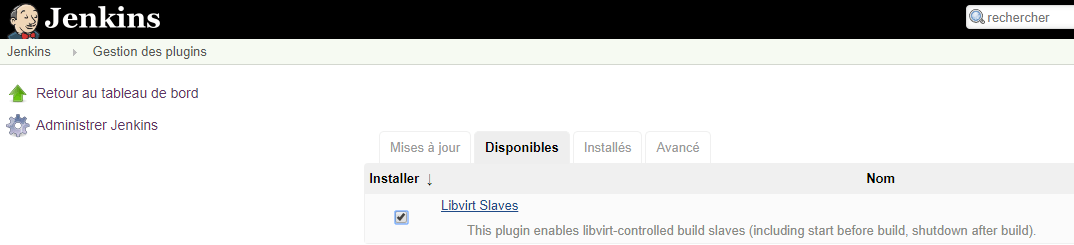
C’est pour l’instant en projet … mais j’essaye de faire une installation propre afin de facilité la validation automatique :
$ apt-get install qemu-kvm qemu virt-manager virt-viewer libvirt-bin

$ apt install libguestfs-tools
On télécharge pour une cible armhfp :
$ curl -O https://dl.fedoraproject.org/pub/fedora/linux/releases/30/Spins/armhfp/images/Fedora-Minimal-armhfp-30-1.2-sda.raw.xz

$ unxz Fedora-Minimal-armhfp-30-1.2-sda.raw.xz

$ sudo virt-builder -v -x --get-kernel Fedora-Minimal-armhfp-30-1.2-sda.raw
command line: virt-builder -v -x --get-kernel Fedora-Minimal-armhfp-30-1.2-sda.raw
virt-get-kernel --verbose -x --add 'Fedora-Minimal-armhfp-30-1.2-sda.raw'
libguestfs: trace: set_verbose true
libguestfs: trace: set_verbose = 0
libguestfs: trace: add_drive "Fedora-Minimal-armhfp-30-1.2-sda.raw" "readonly:true" "protocol:file"
libguestfs: creating COW overlay to protect original drive content
libguestfs: trace: get_tmpdir
libguestfs: trace: get_tmpdir = "/tmp"
libguestfs: trace: disk_create "/tmp/libguestfsEd6WdG/overlay1" "qcow2" -1 "backingfile:/home/farias/Fedora-Minimal-armhfp-30-1.2-sda.raw"
…

$ sudo mv Fedora-Minimal-armhfp-30-1.2-sda.raw initramfs-5.0.9-301.fc30.armv7hl.img vmlinuz-5.0.9-301.fc30.armv7hl /var/lib/libvirt/images/.

$ sudo virt-install -v --name Fedora-Minimal-armhfp-30-1.2-sda.raw --ram 4096 --arch armv7l --import --os-variant fedora22 \
                     --disk /var/lib/libvirt/images/Fedora-Minimal-armhfp-30-1.2-sda.raw \
                     --boot kernel=/var/lib/libvirt/images/vmlinuz-5.0.9-301.fc30.armv7hl,initrd=/var/lib/libvirt/images/initramfs-5.0.9-301.fc30.armv7hl.img,kernel_args="console=ttyAMA0 rw root=LABEL=_/ rootwait"

File "/usr/lib/python2.7/dist-packages/OpenSSL/SSL.py", line 118, in
SSL_ST_INIT = _lib.SSL_ST_INIT
AttributeError: 'module' object has no attribute 'SSL_ST_INIT'
Pour fixer ce problème :
Je me fais un petit mémo pour l’update de Jenkins :
jenkins:~$ sudo wget http://mirrors.jenkins-ci.org/war/latest/jenkins.war
--2019-09-04 08:08:33-- http://mirrors.jenkins-ci.org/war/latest/jenkins.war
Resolving mirrors.jenkins-ci.org (mirrors.jenkins-ci.org)... 52.202.51.185
Connecting to mirrors.jenkins-ci.org (mirrors.jenkins-ci.org)|52.202.51.185|:80... connected.
HTTP request sent, awaiting response... 302 Found
Location: http://ftp-chi.osuosl.org/pub/jenkins/war/2.193/jenkins.war [following]
--2019-09-04 08:08:34-- http://ftp-chi.osuosl.org/pub/jenkins/war/2.193/jenkins.war
Resolving ftp-chi.osuosl.org (ftp-chi.osuosl.org)... 64.50.236.52, 2600:3402:200:227::2
Connecting to ftp-chi.osuosl.org (ftp-chi.osuosl.org)|64.50.236.52|:80... connected.
HTTP request sent, awaiting response... 200 OK
Length: 78246752 (75M) [application/x-java-archive]
Saving to: ‘jenkins.war’

jenkins.war                               100%[=====================================================================================>]  74.62M  1.80MB/s    in 45s

2019-09-04 08:09:19 (1.66 MB/s) - ‘jenkins.war’ saved [78246752/78246752]

jenkins:~$ sudo systemctl stop jenkins
jenkins:~$ cp /usr/share/jenkins/jenkins.war jenkins.war.old
jenkins:~$ sudo mv jenkins.war /usr/share/jenkins/jenkins.war
jenkins:~$ sudo systemctl start jenkins
J’adore Jenkins :)
Le multiping permet d’avoir sur un même graphique le ping de plusieurs noms de domaine. Cela permet de comprendre quelques problèmes.
Voici donc les étapes :
Etape n°1 : : Ajouter dans /etc/munin/plugin-conf.d/munin-node (à la fin):
[multiping]
env.host www.orange.fr www.cyber-neurones.org
env.ping_args -c 3
Etape n°2 : : Le lien symbolique
$ sudo ln -s /usr/share/munin/plugins/multiping /etc/munin/plugins/multiping
$ sudo munin-node-configure
Normalement on doit voir :
...
multiping                  | yes  |
...
Etape n°3 : : Relancer le service
Pour faire suite à mon post : https://www.cyber-neurones.org/2019/03/rock64-2-capteurs-de-debits-deau-debitmetre/ . A noter qu’il faut consommer plus de 0.075 L/s ou 4,5 L/min pour avoir une mesure fiable. Mon but est de mesure un outil qui fait dans les 50 L/min ….
Etapes n°1 : Choisir une version d’OS : http://wiki.pine64.org/index.php/ROCK64_Software_Release
Mon choix : stretch-minimal-rock64-0.7.8-1061-arm64.img.xz
Etape n°2 : Décompresser :
unxz stretch-minimal-rock64-0.7.8-1061-arm64.img.xz

du -h stretch-minimal-rock64-0.7.8-1061-arm64.img
1,8G	stretch-minimal-rock64-0.7.8-1061-arm64.img
Etape n°3 : Mettre sur la SDCard avec ApplePi.
J’ai voulu tester Joplin https://joplin.cozic.net entièrement, pas seulement la synchronisation de 2 ou 3 fichiers.
J’ai donc fait une base de 2465 notes, et 9787 images :
: "Total folders: 32"
: "Total notes: 2465"
: "Total resources: 9787"
Mon fichier WebDEV :
$ du -sh WebDAV/
2,7G	WebDAV/
$ ls -l WebDAV/*.md | wc -l
-bash: /bin/ls: Argument list too long
       0
Il y a tellement de fichier que la commande “ls” plante :) , en fait il y a 13051 fichiers pour 2,7 Go. Le fichier le plus gros fait 13 Ko.
Quelle alternative à systemd ? upstart ?
Lire aussi l’article : https://linuxfr.org/news/systemd-l-init-martyrise-l-init-bafoue-mais-l-init-libere .
A lire : https://linuxfr.org/users/gelnior–2/journaux/8-ans-de-projets-libres-bilan-et-idees .
" …Or beaucoup de développeurs ne font pas du salaire leur priorité…."
Joker.
“…J’ai vu de nombreux tweets passés disant que s’auto-héberger c’était mal et que c’était criminel de le conseiller….”
Oups, je suis un criminel … je fais sans arrêt la promotion des Raspberry.
“Toutes les données personnelles ou industrielles sont captées par quelques groupes privés”
Captées …et vendues !
“Pour tempérer, on voit plein de belles initiatives naître régulièrement comme les projets Eelo ou SOLID “
J’ai essayé :
A noter qu’il est possible de mettre neo4j sur un Raspberry : https://gist.github.com/widged/8329039 . Il me faut faire le test …
Je voulais tester le concept de Graph ( Node ….) sur ma base d’email … mais pour l’instant c’est un échec.
Misère.





