
( C’est instable … sniff )
Installation de Munin Server sur MacOS.
Le lien : https://www.macports.org/install.php pour le téléchargement : macOS High Sierra v10.13

Installation
# sudo port install munin +server
Password:
Warning: xcodebuild exists but failed to execute
Warning: Xcode does not appear to be installed; most ports will likely fail to build.
--->  Computing dependencies for munin
The following dependencies will be installed:
...
Continue? [Y/n]: Y
...
--->  Extracting munin
--->  Applying patches to munin
--->  Configuring munin
--->  Building munin
--->  Staging munin into destroot
###########################################################
# A startup item has been generated that will cause the
# Munin server to fetch data from all nodes every 5 mins.
# It is disabled by default, please execute the following
# command to enable:
#
# sudo launchctl load -w /Library/LaunchDaemons/org.macports.munin-cron.plist
###########################################################
--->  Creating launchd control script 'munin-node'
--->  Installing munin @1.4.7_6+server
--->  Activating munin @1.4.7_6+server
--->  Cleaning munin
--->  Updating database of binaries
--->  Updating database of C++ stdlib usage
--->  Scanning binaries for linking errors
--->  No broken files found.
--->  No broken ports found.
--->  Some of the ports you installed have notes:
  libidn has the following notes:
    Please be aware that GNU libidn2 is the successor of GNU libidn. It comes
    with IDNA 2008
    and TR46 implementations and also provides a compatibility layer for GNU
    libidn.
  munin has the following notes:
    To detect supported Munin plugins please use the following command:

    sudo -u munin munin-node-configure --suggest --shell | sudo sh

    A startup item has been generated that will aid in starting munin with
    launchd. It is disabled by default. Execute the following command to start
    it, and to cause it to launch at startup:

        sudo port load munin
  python27 has the following notes:
    To make this the default Python or Python 2 (i.e., the version run by the
    'python' or 'python2' commands), run one or both of:

        sudo port select --set python python27
        sudo port select --set python2 python27

# sudo port install munin
--->  Fetching distfiles for munin
--->  Verifying checksums for munin
--->  Extracting munin
--->  Applying patches to munin
--->  Configuring munin
--->  Building munin
--->  Staging munin into destroot
--->  Creating launchd control script 'munin-node'
--->  Installing munin @1.4.7_6
--->  Unloading startupitem 'munin-node' for munin
--->  Deactivating munin @1.4.7_6+server
--->  Cleaning munin
--->  Activating munin @1.4.7_6
--->  Cleaning munin
--->  Scanning binaries for linking errors
--->  No broken files found.
--->  No broken ports found.
--->  Some of the ports you installed have notes:
  munin has the following notes:
    To detect supported Munin plugins please use the following command:

    sudo -u munin munin-node-configure --suggest --shell | sudo sh

    A startup item has been generated that will aid in starting munin with launchd. It is disabled by default. Execute the following command to start
    it, and to cause it to launch at startup:

        sudo port load munin
# sudo -u munin munin-node-configure --suggest --shell
# The following plugins caused errors:
# apache_processes:
# 	Non-zero exit during autoconf (255)
# if_:
# 	Timed out during suggest
# 	No valid suggestions
# if_err_:
# 	Timed out during suggest
# 	No valid suggestions
# mysql_:
# 	Non-zero exit during autoconf (2)
# slony_lag_:
# 	Non-zero exit during autoconf (2)
# varnish_:
# 	Non-zero exit during autoconf (255)
Je supprime le –shell :
Après une petite recherche sur google : https://discussions.apple.com/thread/7552801 .
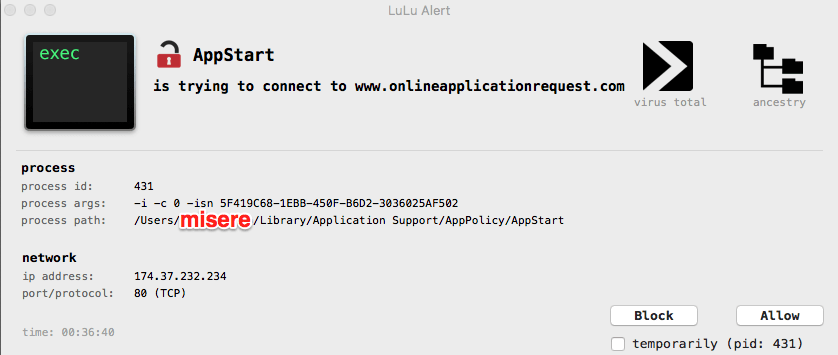
Je n’ai pas réussi à trouver quel était le fichier de configuration avec le nom de domaine dans les fichier .plist de Library.
Normalement je devrait avoir une fichier : ~/Library/LaunchAgents/com.onlineapplicationrequest.* … Peut-être que Lulu a supprimé le fichier.
A suivre.
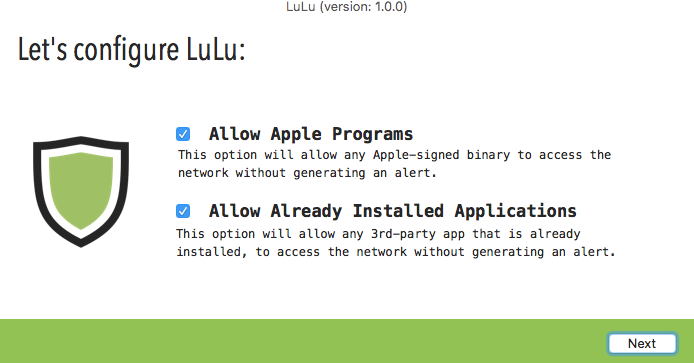
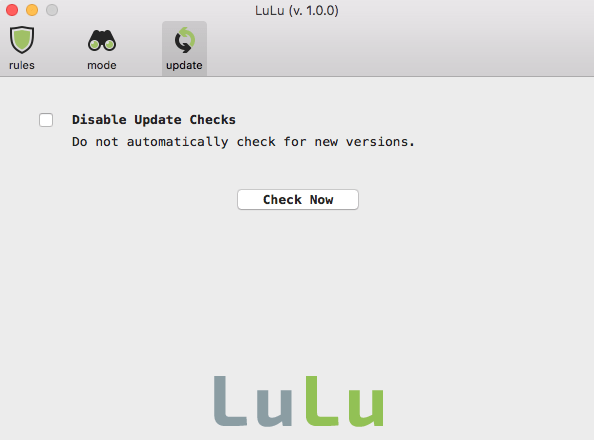
Je vous conseille Lulu : https://objective-see.com/products/lulu.html .
Pour plus d’information : https://www.macg.co/logiciels/2018/09/des-utilitaires-gratuits-pour-renforcer-la-securite-de-votre-mac-103534 :
Le chercheur en sécurité Patrick Wardle a récemment finalisé LuLu, un utilitaire qui permet de contrôler les connexions sortantes de votre Mac. À chaque fois qu’une nouvelle app veut se connecter à un serveur distant, LuLu vous demande de valider la connexion. Si la connexion est suspecte, vous pouvez l’interdire.
Les étapes de l’installation :
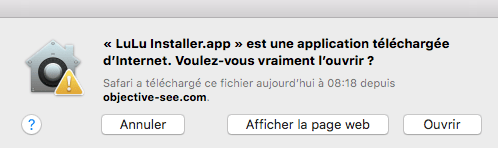

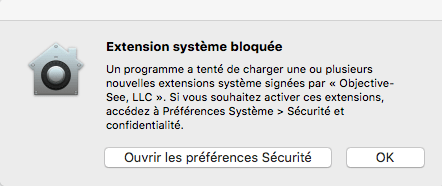
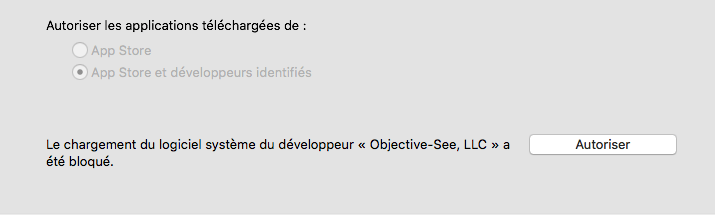
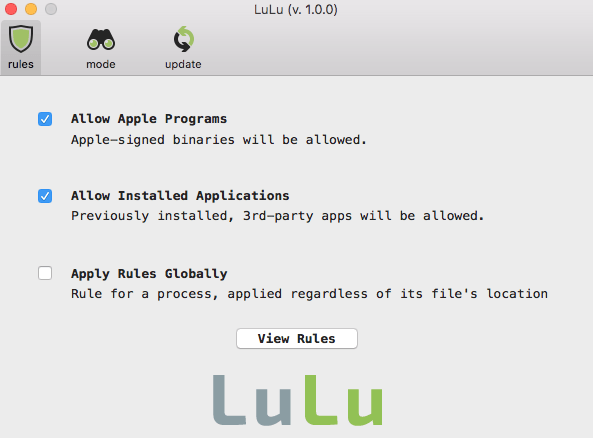
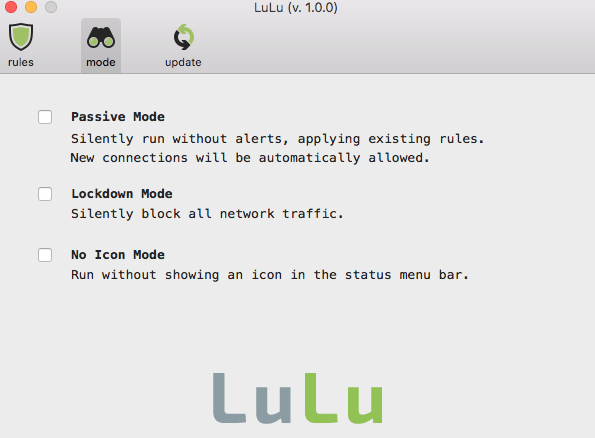
Après le lancement :
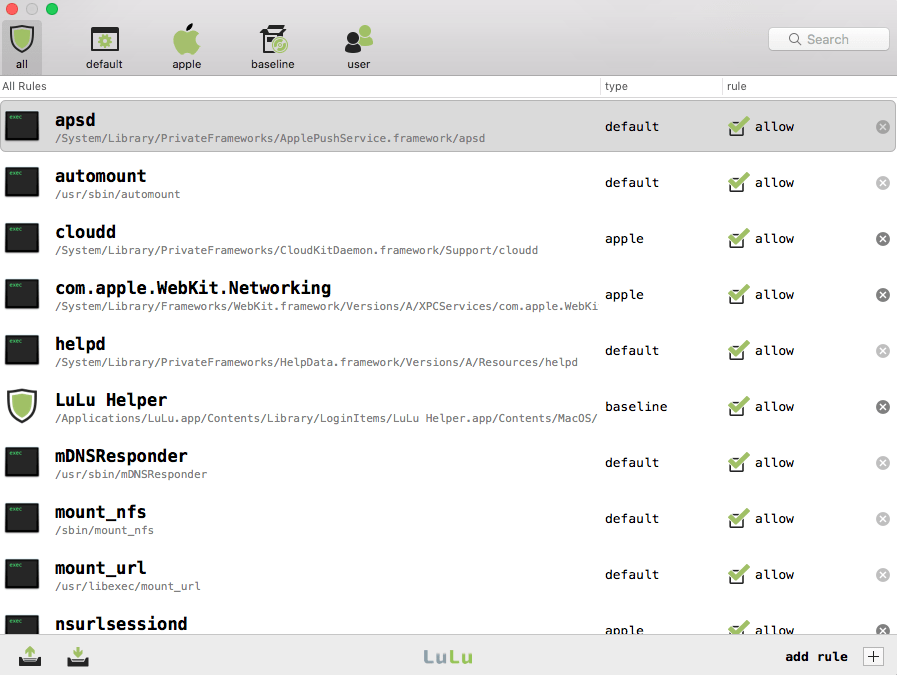
En test … les premiers pris par la patrouille :
Je déconseille l’achat de l’adaptateur C2G (29326/89052) de Legrand : Thunderbolt (USB Type-C) vers Ethernet . Il ne fonctionne pas sur mon Mac : MacOS : 10.13.6 ( High Sierra ) .
Site : https://www.c2g.com/uk/product/89052/usb-c-to-gigabit-ethernet-network-adapter#description .
Driver : MACOSX driver
Voici ce que j’ai dans dmesg quand je connecte l’adaptateur :
Thunderbolt PCI - LS=0xd043 LC=0x0040
Quand j’ouvre une console et que je tape : “kextstat | grep com.asix” , le driver n’est pas visible.
My MacOS Release : 10.13.6.
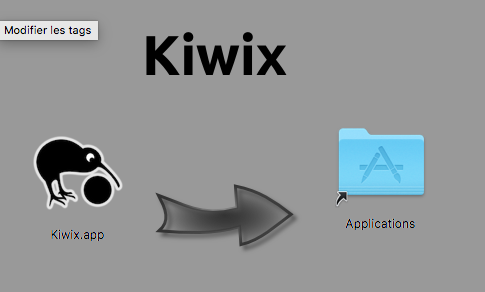
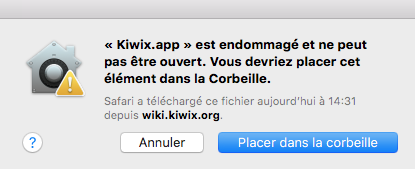
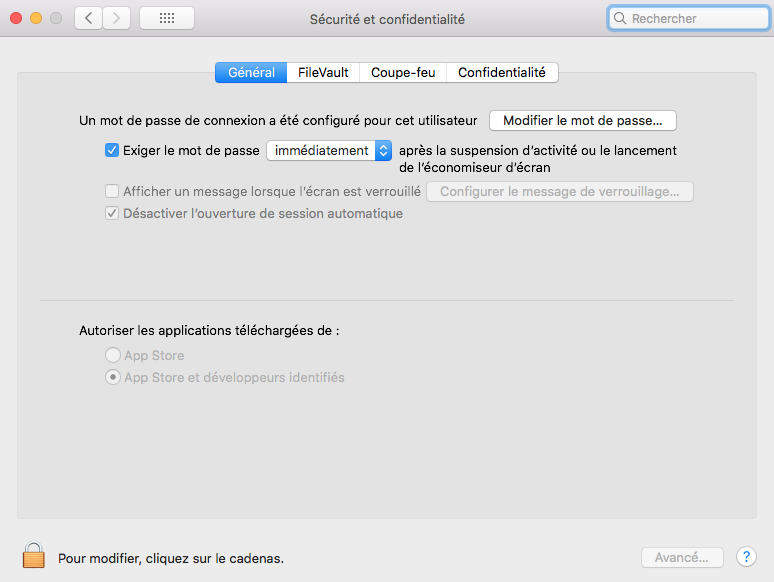
Open terminal : “sudo spctl –master-disable”
Check the status : “spctl –status”
After on Gatekeeper :
… Or why not say that it fails because of SIP ?
When I see the logs /var/log/install.log in “Safe Mode”, I see this command newfs_hfs -J -U 0 -G 0 -v Recovery HD /dev/rdisk0s3 :
2018-05-05 15:36:46+02 XXXX diskmanagementd[708]: diskmanagement: rawLaunch: execve(2) pid=708 /System/Library/Filesystems/hfs.fs/Contents/Resources/newfs_hfs -J -U 0 -G 0 -v Recovery HD /dev/rdisk0s3 .
2018-05-05 15:36:46+02 XXXX diskmanagementd[454]: diskmanagement: rawLaunch_block_invoke: waitpid(2) pid=708 ret/errno=708/10 status=0x00000100 exit=1
2018-05-05 15:36:46+02 XXXX diskmanagementd[454]: diskmanagement: [DMToolRecoveryPartition populateBooter:verifyType:verifyMinSize:clearMode:copierForRecoveryFiles:hostOSXForBootRootFiles:statusReportingDisk:percentBegin:percentEnd:]: retErr=-69832
2018-05-05 15:36:46+02 XXXX diskmanagementd[454]: diskmanagement: [DMToolRecoveryPartition ensureBooter:storage:phyUDS:logUDS:phyREF:logREF:copierForRecoveryFiles:hostOSXForBootRootFiles:recBSD:percentBegin:percentEnd:]: retErr=-69832 outDisk=(null)
2018-05-05 15:36:46+02 XXXX diskmanagementd[454]: diskmanagement: [DMToolRecoveryPartition ensureRecoveryPartitionForVolume:]: at exit; err=-69832
2018-05-05 15:36:46+02 XXXX diskmanagementd[454]: diskmanagement: [DMToolRecoveryPartition ensureRecoveryPartitionForVolume:]: output recoveryDiskBSD=(null) physicalDonorBSD=disk0s2
2018-05-05 15:36:46+02 XXXX diskmanagementd[454]: diskmanagement: [DMToolRecoveryPartition ensureRecoveryPartitionForVolume:]
2018-05-05 15:36:46+02 XXXX system_installd[459]: replaceRecovery: HFS/CS EnsureRecoveryPartition: Error: File system formatter failed (-69832)
But this command works only without SIP ?! So the best way (in my opinion), before launch this command (newfs_hfs) is to do “csrutil status”. If the status is disabled, so it’s ok. But if not, OPEN A WINDOWS AND WRITE " Please boot on recovery OS, and disabled the SIP “.
Suite à l’installation de MacOS 10.13.4 j’ai eu ce message :
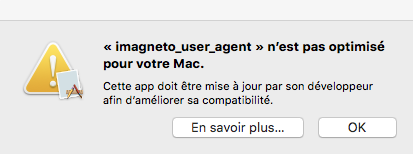
C’est pas la première fois que je vois que iMagneto prend énormément de ressource :
Il va falloir supprimer …
Misère.
L’erreur dans /var/log/install.log est la suivante :
2018-05-04 15:36:38+02 XXXX softwareupdate_notify_agent[773]: Notifying with params: {
            PostLogoutUpdatesInstalled =     {
                "091-76232" =         {
                    ErrorCode = 112;
                    ErrorDomain = PKInstallErrorDomain;
                    InstalledLater = 0;
                    State = Error;
                };
            };
            UpdateNotificationsOnly = 1;
        }
2018-05-04 15:36:38+02 XXXX softwareupdate_notify_agent[773]: appstoreupdateagent notified
Voici plus d’information sur mon système et mon matériel :
Informations matériel :
  Nom du modèle :	MacBook Pro
  Identifiant du modèle :	MacBookPro9,1
  Nom du processeur :	Intel Core i7
  Vitesse du processeur :	2,3 GHz
  Nombre de processeurs :	1
  Nombre total de cœurs :	4
  Cache de niveau 2 (par cœur) :	256 Ko
  Cache de niveau 3 :	6 Mo
  Mémoire :	16 Go
  Version de la ROM de démarrage :	MBP91.00D7.B00
  Version SMC (système) :	2.1f175

Vue d’ensemble du logiciel système :
  Version du système : macOS 10.13.3 (17D102)
  Version du noyau : Darwin 17.4.0
  Volume de démarrage : Macintosh HD
  Mode de démarrage : Normal
  Mémoire virtuelle sécurisée : activée
  Protection de l’intégrité du système : activée
Si je cherche tous les PostLogoutUpdatesInstalled dans /var/log/install.log :
Voici la mise à jours qui ne semble pas bien se faire : 10.13.4 :


Si je regarde dans /var/log/install.log, l’historique :
$ grep "Previous System Version" /var/log/install.log
2017-12-31 14:27:11+01 ... softwareupdated[369]: Previous System Version : (null), Current System Version : 10.13.2 (17C88)
2017-12-31 17:33:02+01 ... softwareupdated[237]: Previous System Version : 10.13.2 (17C88), Current System Version : 10.13.2 (17C88)
...
2018-01-11 16:10:00+01 .... softwareupdated[283]: Previous System Version : 10.13.2 (17C88), Current System Version : 10.13.2 (17C205)
2018-01-11 20:18:10+01 .... softwareupdated[453]: Previous System Version : 10.13.2 (17C205), Current System Version : 10.13.2 (17C205)
...
2018-01-24 08:02:53+01 .... softwareupdated[254]: Previous System Version : 10.13.2 (17C205), Current System Version : 10.13.2 (17C205)
2018-01-24 19:16:34+01 .... softwareupdated[242]: Previous System Version : 10.13.2 (17C205), Current System Version : 10.13.3 (17D47)
...
2018-02-23 09:24:26+01 .... softwareupdated[269]: Previous System Version : 10.13.3 (17D47), Current System Version : 10.13.3 (17D102)
2018-02-23 18:19:42+01 .... softwareupdated[507]: Previous System Version : 10.13.3 (17D102), Current System Version : 10.13.3 (17D102)
...
2018-04-14 14:01:10+02  .... softwareupdated[691]: Previous System Version : 10.13.3 (17D102), Current System Version : 10.13.3 (17D102)
La dernière mise à jour qui a fonctionnait était le 2018-02-23 09:24:26+01.
J’ai en boucle ce logs, dans /var/log/system.log sur mon mac ( MacOS : 10.13.3 ) :
Apr 14 14:11:26  com.apple.xpc.launchd[1] (com.yourcompany.KiesViaWiFiAgent.3256[837]): Service exited due to signal: Terminated: 15 sent by KiesAgent[745]
Apr 14 14:11:27  KiesAgent[745]: enter launchWiFiAgent!!
Apr 14 14:11:27  KiesAgent[745]: /Applications/Kies.app/Contents/MacOS/KiesViaWiFiAgent.app
Apr 14 14:11:27  KiesAgent[745]: starting KiesViaWiFiAgent
Apr 14 14:11:27  KiesAgent[745]: start KiesAgent!
Apr 14 14:11:27  KiesAgent[745]: Exit wifiAgent!
Apr 14 14:11:27  KiesViaWiFiAgent[838]: objc[838]: Class KMRijndael is implemented in both /Applications/Kies.app/Contents/MacOS/KiesViaWiFiAgent.app/Contents/Frameworks/DeviceCenter.framework/Versions/A/KMBase.framework/Versions/A/KMBase (0x6aba24) and /Applications/Kies.app/Contents/MacOS/KiesViaWiFiAgent.app/Contents/MacOS/KiesViaWiFiAgent (0x31520). One of the two will be used. Which one is undefined.
Apr 14 14:11:27  KiesViaWiFiAgent[838]: objc[838]: Class AESCryption is implemented in both /Applications/Kies.app/Contents/MacOS/KiesViaWiFiAgent.app/Contents/Frameworks/DeviceCenter.framework/Versions/A/KMBase.framework/Versions/A/KMBase (0x6aad94) and /Applications/Kies.app/Contents/MacOS/KiesViaWiFiAgent.app/Contents/MacOS/KiesViaWiFiAgent (0x31550). One of the two will be used. Which one is undefined.
Apr 14 14:11:27  KiesViaWiFiAgent[838]: Folder is not existed - path is (null)/WifiAgent.
Apr 14 14:11:27  KiesViaWiFiAgent[838]: CreateFolder is Failed - path is (null)/WifiAgent. error = Error Domain=NSCocoaErrorDomain Code=513 "Vous n’êtes pas autorisé à enregistrer le fichier « WifiAgent » dans le dossier « (null) »." UserInfo={NSFilePath=(null)/WifiAgent, NSUnderlyingError=0xa081b0 {Error Domain=NSPOSIXErrorDomain Code=13 "Permission denied"}}
Apr 14 14:11:43 com.apple.xpc.launchd[1] (com.yourcompany.KiesViaWiFiAgent.3256[838]): Service exited due to signal: Terminated: 15 sent by KiesAgent[745]
Si je fais des statistiques plus précises :





